> For the complete documentation index, see [llms.txt](https://docs.metapool.app/master/llms.txt). Markdown versions of documentation pages are available by appending `.md` to page URLs; this page is available as [Markdown](https://docs.metapool.app/master/meta-pool-ecosystem/vote-governance/vote-ui.md).
# Vote UI
Go to [metapool.app](https://www.metapool.app/) and then to the Vote section. Or click [here](https://www.metapool.app/vote/).
### Voting Power Calculator
Meta Pool provides you with a tool to calculate the Voting Power and the rewards to receive if you deposite tokens, get mpDAO, lock your mpDAO tokens and vote with the acquired Voting Power.
{% hint style="info" %}
Meta Pool rewards Meta Pool Dao participants (mpDAO Holders). Don't miss the opportunity of being part of Meta Pool Dao.
{% endhint %}
### Connect your Near and/or Ethereum wallet to lock your mpDAO tokens and get Voting Power
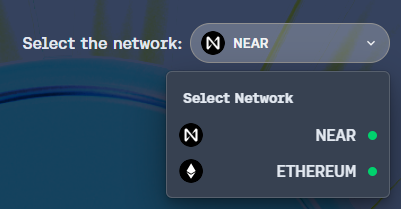
Meta Pool is Multichain, so first choose the network you wish to connect to.
{% hint style="info" %}
To participate in Meta Pool Governance and receive rewards, you can connect to the **NEAR** network and/or the **Ethereum** network.
{% endhint %}
Once you have chosen the network you want, connect your wallet so that you can have full access to your assets.
You can have 1 wallet connected per network. To operate with each network, you will have to change network each time in the selector at the top right of the metapoo.app page.
Congratulations, your wallet is connected. You can now participate in the Meta Pool DAO.
### How to get Voting Power
Now that your wallet is connected, you will see that in the calculator, the button that used to say "+ Connect your Wallet", now says "**Lock your mpDAO now**".
Therefore, to get Voting Power you can click on "[**Lock your mpDAO now**](/master/meta-pool-ecosystem/vote-governance/my-votes.md)" or go to the [**My Votes**](/master/meta-pool-ecosystem/vote-governance/my-votes.md) section.