Stake
Meta Pool allows Multi-chain staking: $IP, $ETH, $NEAR, $AURORA, $WNEAR, $ICP and $SOL (mSOL, bSOL, jitoSOL, HubSOL) token holders can stake and earn rewards, while also providing an easy way to unstake with no lockup period (fast unstake).
Steps to follow
Section titled “Steps to follow ”1) Go to https://www.metapool.app/ an then to the Stake section. Or directly to: https://www.metapool.app/stake.
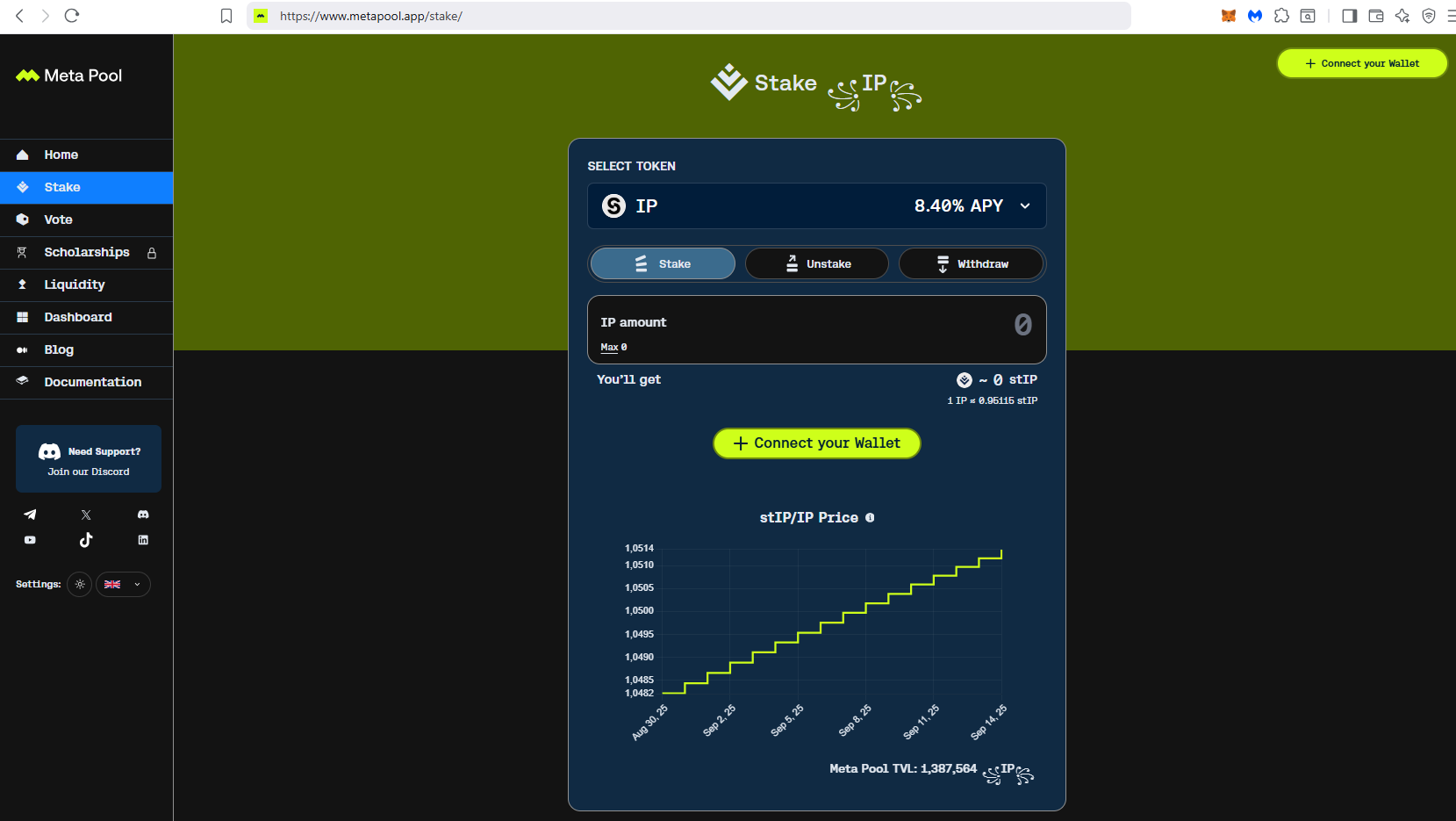
2) Token selection: Choose the token of your preference. Note that by default the staking is in the $IP token, but make sure to select the desired token and that the Stake option is selected.
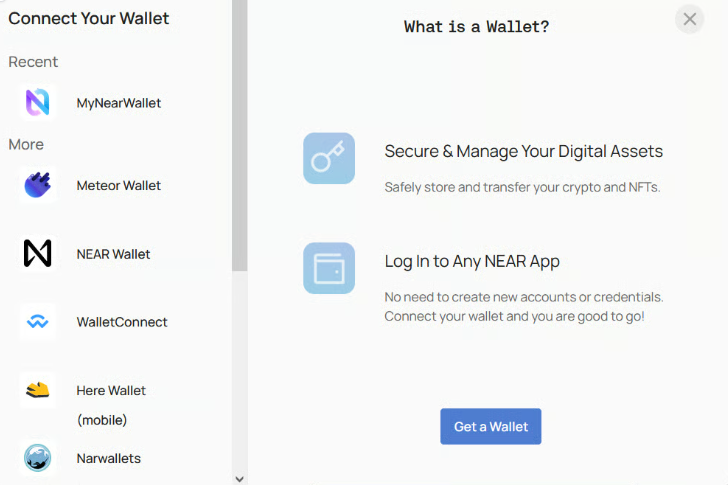
3) Connect your wallet by clicking the Connect wallet button.
4) Choose your preferred wallet according to the token preselected befor, for this example, we will use Meteor Wallet for the $NEAR token.
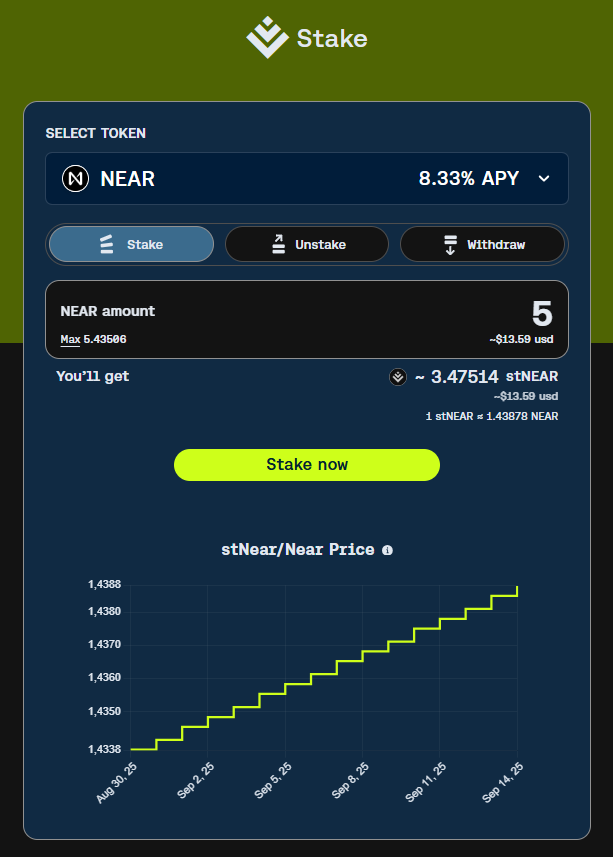
5) Enter the amount that you wish to stake, then click ‘Stake’ according to the Token selected.
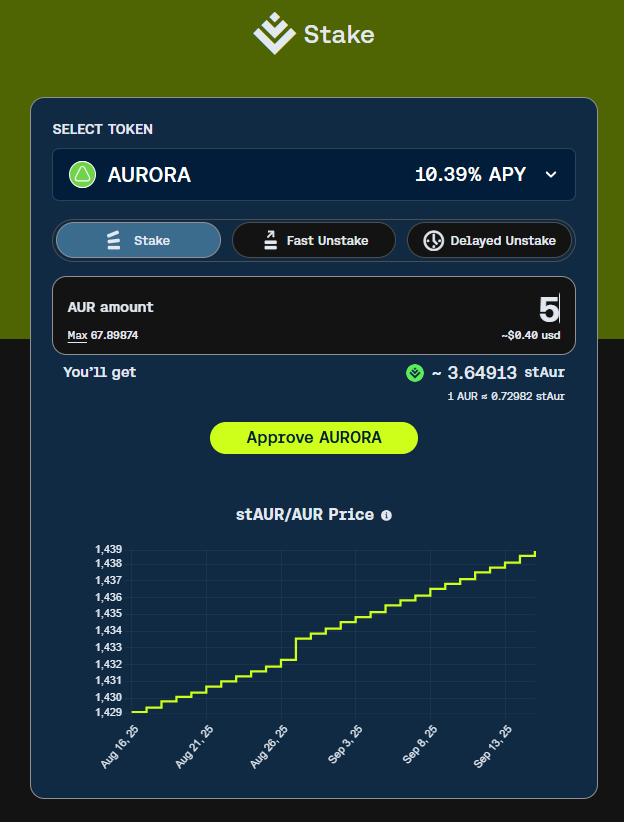
6) $AURORA and $wNEAR Permission and Fee: To operate with $AURORA and $wNEAR, the selected wallet will request permission to be provided in order to stake. This is done by approving the amount to be authorized in a transaction prior to stake approval. Therefore, two actions are required to stake.
- Approve: Enter the desired amount to stake. Then press the “Approve AURORA” button.
- In your wallet, enter the amount for which you want to give permission to the application. It must be equal to or greater than the amount to be staked.
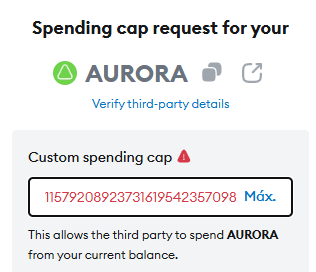
- If you choose the “Use site suggestion” amount, the system will incorporate the maximum possible amount that will allow you to interact without being asked for this permission again.
If you choose the “Max” button, the system will automatically complete with the maximum balance you have of this asset (in this case $AUR token).
But you can complete the field with the desired amount, taking into account that it must always be equal to or greater than the amount for which you wish to carry out the transaction. - Fee: Keep in mind that ONLY staking with the $wNEAR token involves a small fee of 0.1%.
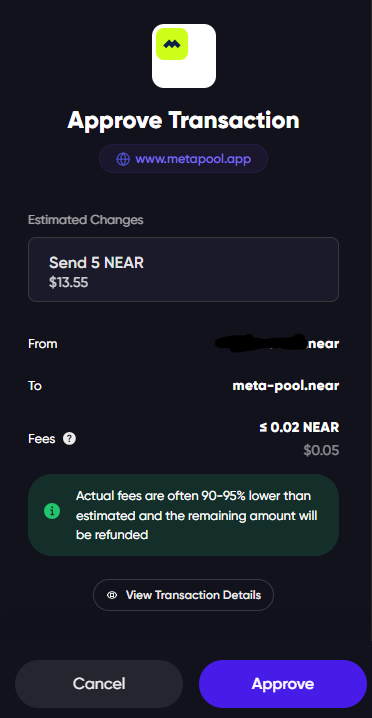
7) Stake: click on the “Stake now” button and “Approve” or “Confirm” the transaction in your wallet.
8) Dashboard: Now you can find your accounts holdings on the Dashboard section. https://www.metapool.app/dashboard