> For the complete documentation index, see [llms.txt](https://docs.metapool.app/master/llms.txt). Markdown versions of documentation pages are available by appending `.md` to page URLs; this page is available as [Markdown](https://docs.metapool.app/master/meta-pool-ecosystem/vote-governance/vote-delegation-program/delegator.md).
# Delegator
As a **Delegator**, you delegate your **Voting Power (VP)** to one or more registered Delegates so they can vote on your behalf in governance (validators, grants). You continue earning **base voting rewards** (minus the Delegate's fee) and potentially **extra farming rewards** if the Delegate has an active Farm.
## **Steps to delegate your Voting Power**
1. Go to the **Delegate Votes** page (To be able to delegate, you need to have VP available).
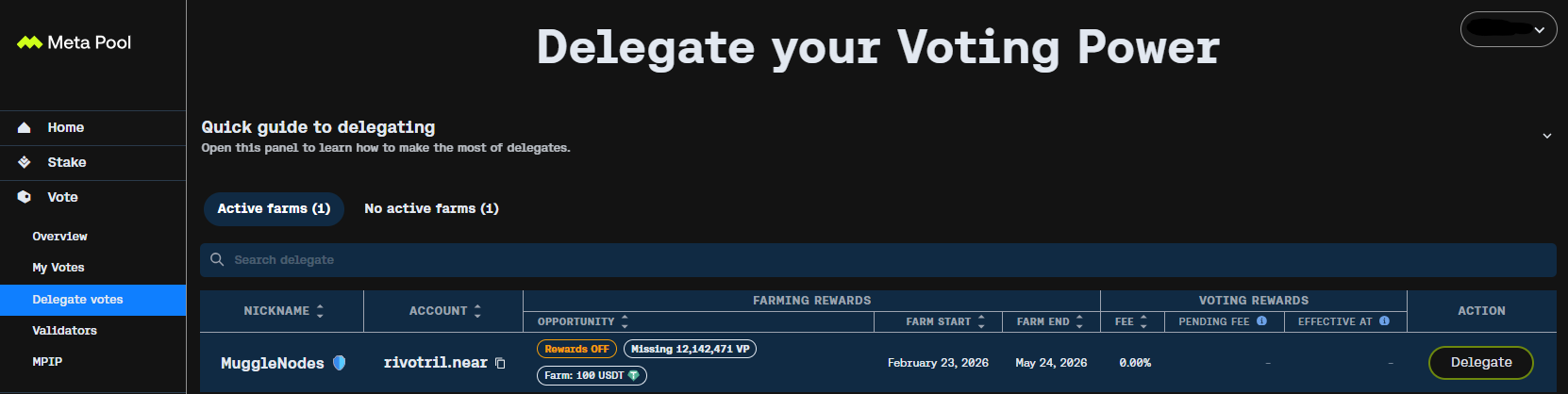
2. Browse the list of Delegates:
* You can use the search bar to find a specific nickname or account.
* Review columns: Nickname, Account, Opportunity (Farm status + missing VP if any), Farming Rewards (token, start/end dates), Fee %, Voting Rewards (pending changes), Action button.
"Delegate list overview – check Opportunity status and Fee before selecting."
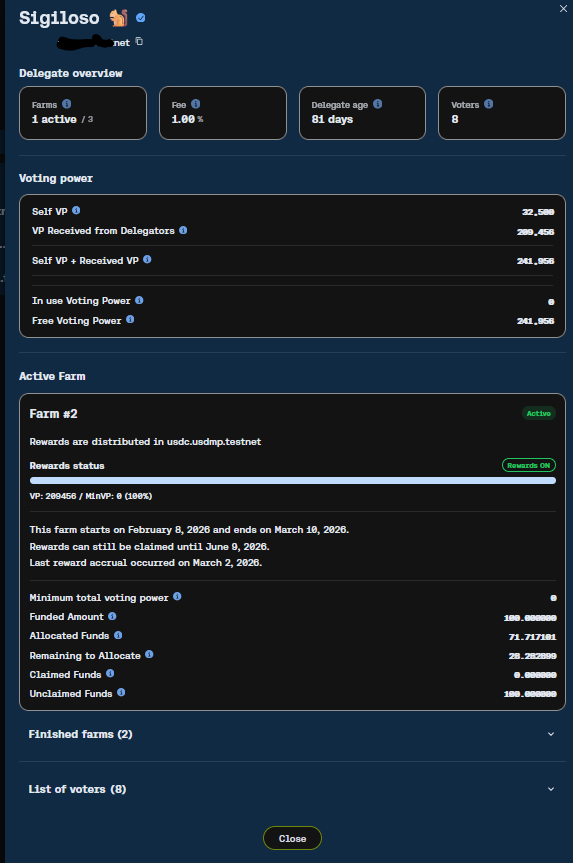
3. Click a Delegate's row or the **Delegate** button to open their details modal.
"Delegate details – review total VP, active Farm status, minimum requirement progress, and voter list."
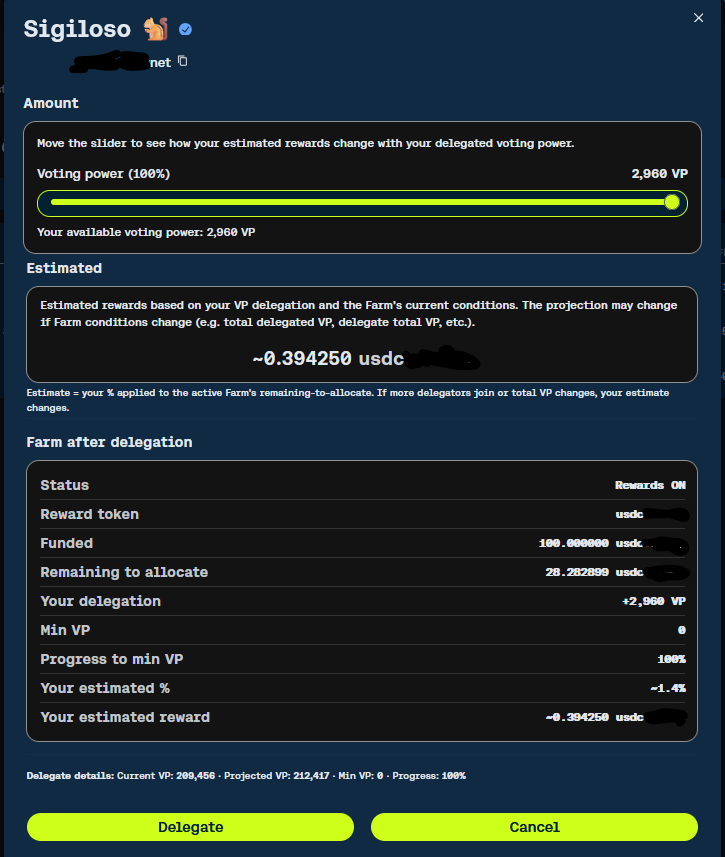
4. To Delegate, click the Delegate Button and use the slider to select how much of your available VP to delegate:
* The slider shows **% of your current available VP** and the equivalent **VP amount**.
* Real-time estimates appear: your projected share of the Farm rewards (based on remaining to allocate, your added VP, etc.), in the Farm's reward token.
* If the Farm requires a minimum total VP and is currently OFF, delegating may help activate it (but check missing VP first).
"Delegation slider – select % of your VP and preview estimated farming rewards."
5. Click **Delegate** to confirm.
* This opens your wallet to sign the transaction.
* Once confirmed, your delegated VP appears in the Delegate's received VP and contributes to Farm activation if applicable.
6. Repeat for other Delegates if you want to split your VP across multiple (each delegation is a separate transaction).
## **Claiming Rewards**
Rewards from the Vote Delegation Program come in two types, and each is claimed in a different place in the dashboard.
* **Base voting rewards** (Vote-to-Earn from validators and grants):
* Distributed automatically on the **3rd day of each month** based on your VP used in effective votes (minus Delegate's fee if delegated).
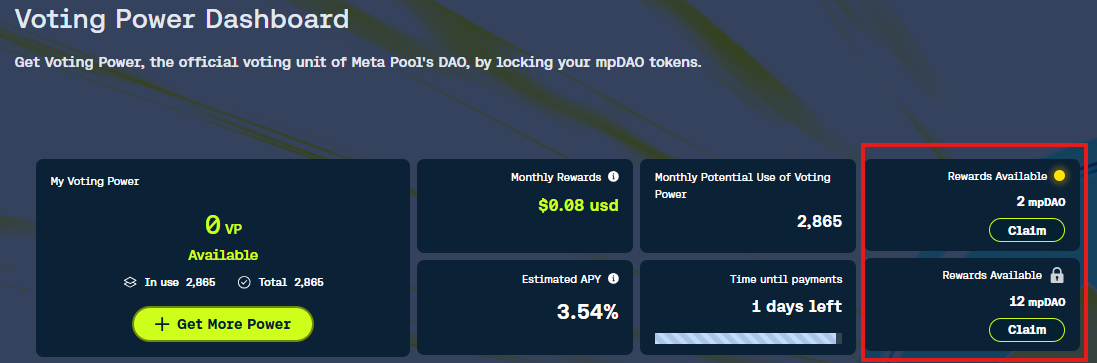
* Claim them in the main **Voting Power Dashboard**
* You will see pending/claimable amounts in mpDAO or equivalent, with locked and unlocked portions displayed.
* Use the **Claim** button(s) when available.
"Claim base voting rewards in the main dashboard – check Monthly Rewards and claim when distributed."
* **Extra farming rewards** (from Delegate Farms):
* Accrue **daily** if the Delegate's Farm is active and your delegated VP contributes.
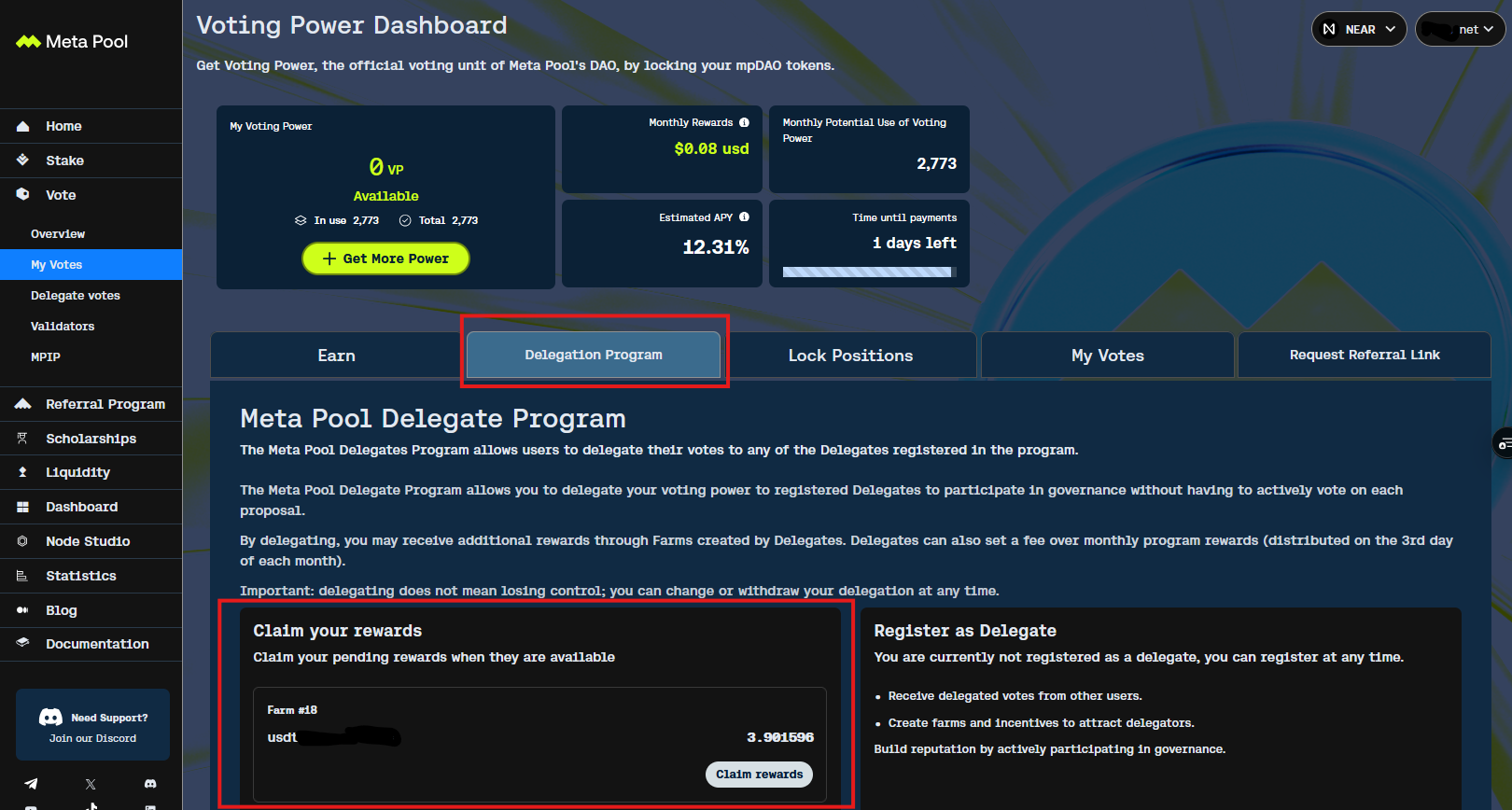
* Claim them in the **Delegation Program** tab (under My Votes > Delegation Program).
* Each active or finished Farm shows a **Claim rewards** button with the amount in the reward token (e.g., USDC, USDT).
* Pending rewards appear per Farm; claim individually or all.
"Claim farming rewards in the Delegation Program tab – use Claim buttons for each Farm."
**Note**: Always check the dashboard around the 3rd of the month for base rewards, and monitor Delegation Program daily/weekly for farming accruals.
## **Unvoting / Changing Delegation**
To stop delegating your VP to a specific Delegate (unvote / revoke delegation):
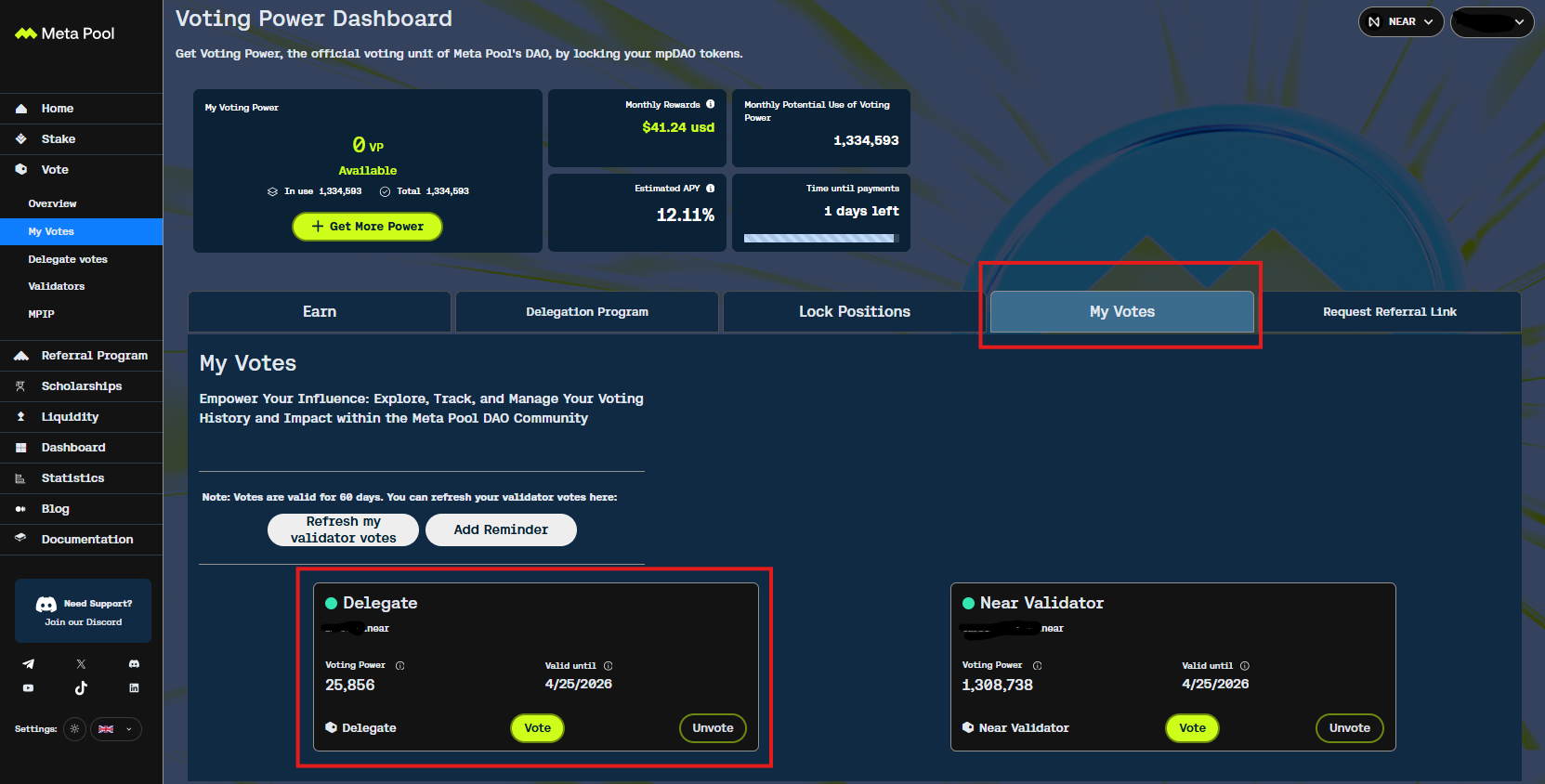
1. Go to **My Votes** tab in the dashboard (not Delegation Program).
2. Locate your active delegations:
* They appear as cards under My Votes (e.g., with Delegate nickname, Voting Power delegated, Valid until date).
"My Votes tab – find your delegations and use Unvote button."
3. Click **Unvote** on the Delegate card you want to revoke.
* This opens your wallet to sign the transaction.
* Once confirmed, your VP is freed up (available again for new delegations or direct use).
* No unbonding period is applied (immediate effect, but confirm in app if any pending status shows).
You can unvote from one Delegate and immediately delegate to another (or multiple) to re-allocate your VP. This allows splitting VP across Delegates for diversified farming rewards.
**Quick tip**: Review your delegations periodically in My Votes to ensure they align with your preferred Delegates (fee changes, Farm status, activity).